
When a pull request merges, it usually touches a user journey. DynoDocs proposes flows for those journeys, and the review list is where you decide which suggestions become real flows in your workspace.
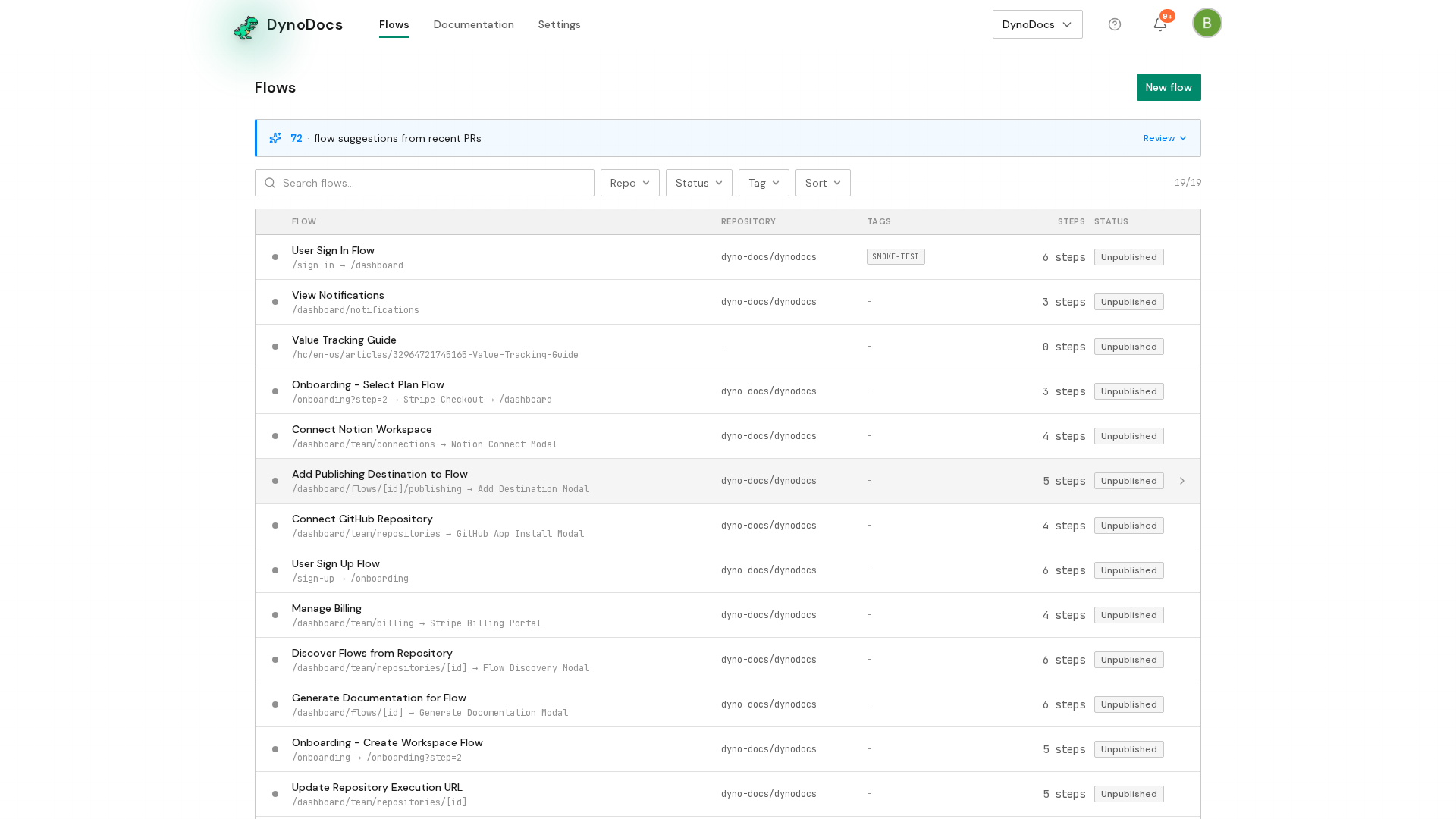
When DynoDocs has proposed flows from recently merged pull requests, a banner above your flows tells you how many are waiting. Click Review to open the list of suggestions.
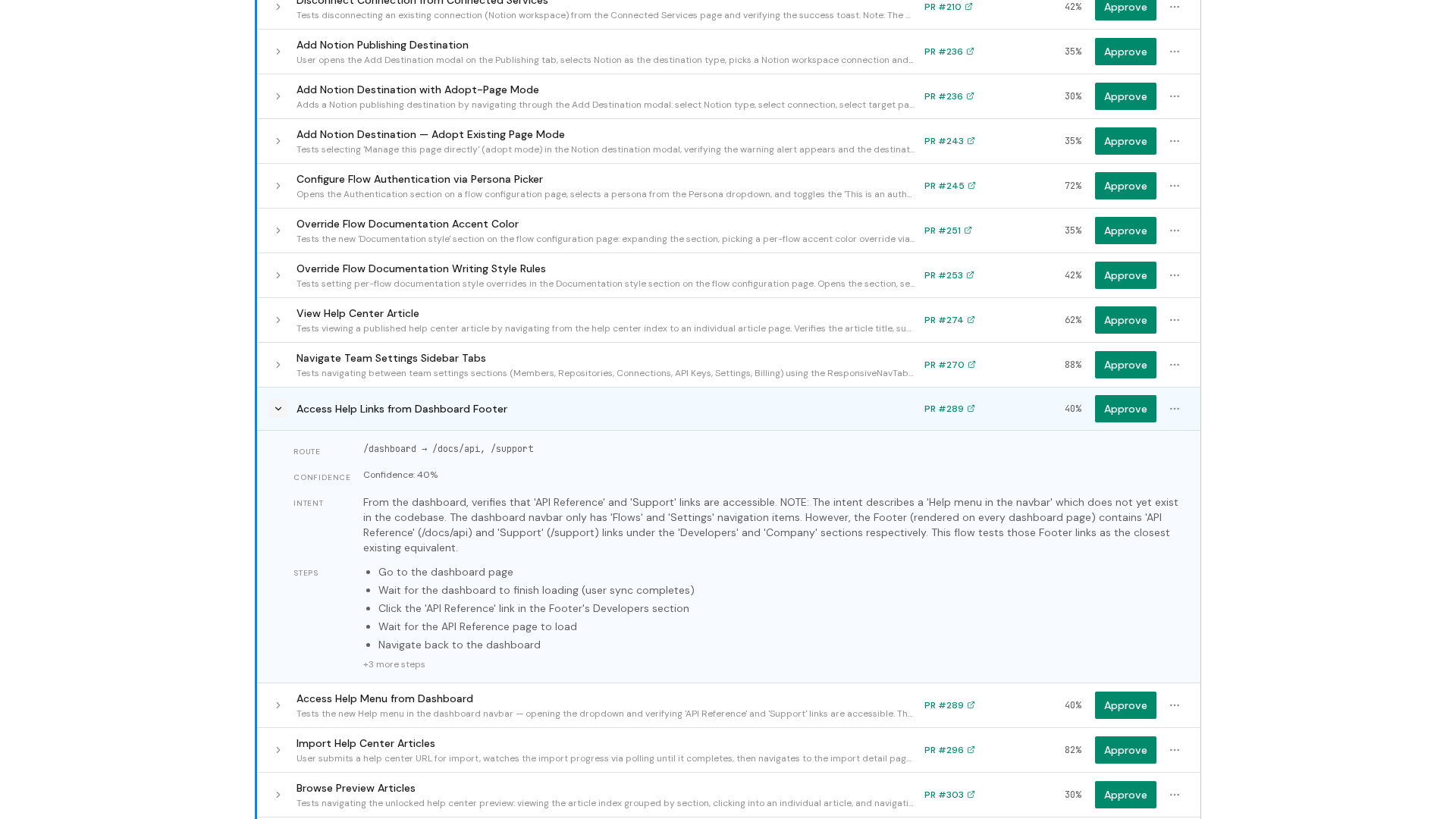
Each suggestion is listed with its name, how confident DynoDocs is in it, and the pull request it came from. To read the steps a suggestion proposes and what it is meant to prove, expand it using the arrow control at the end of its row.
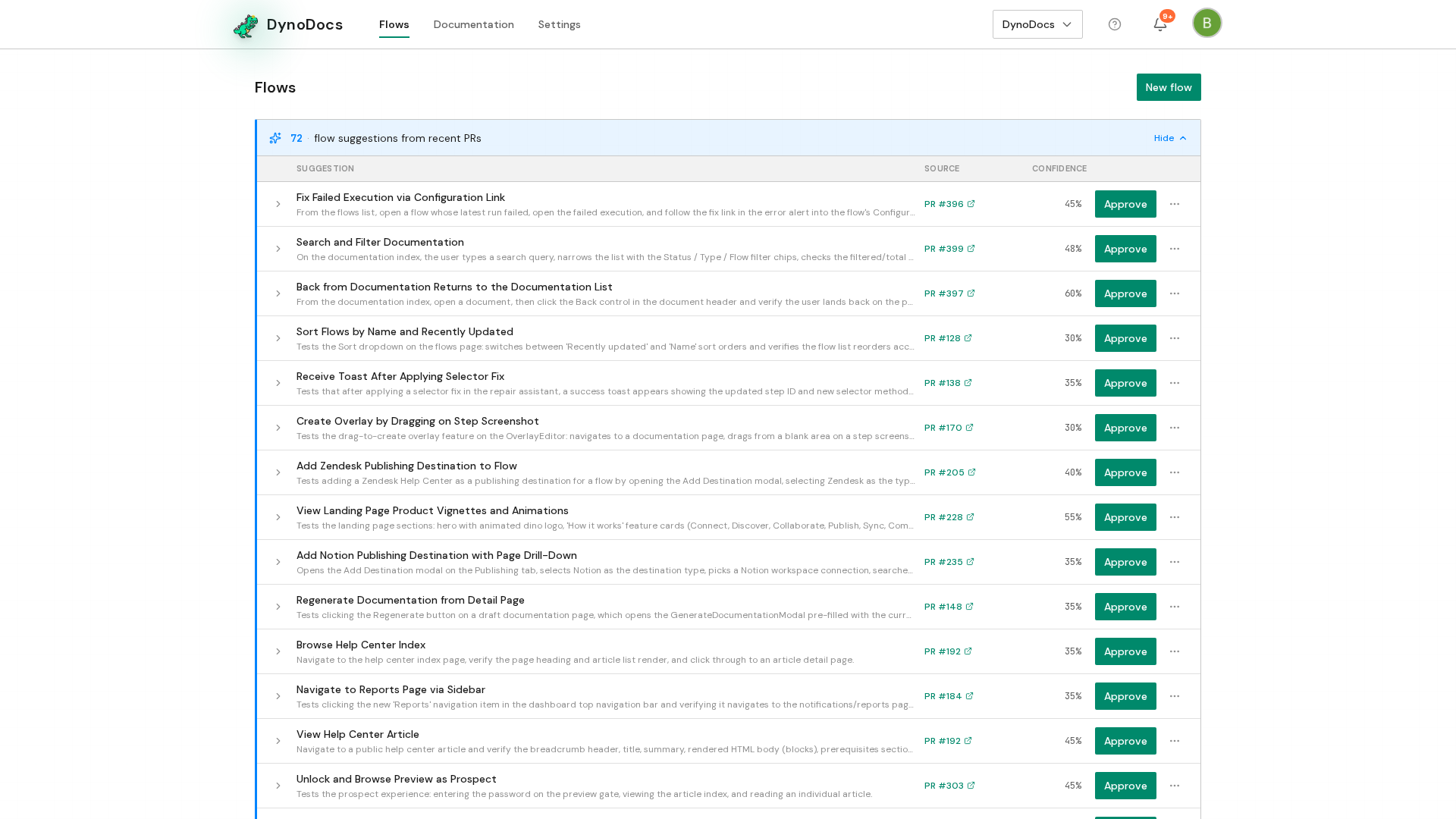
Click Approve to add the suggestion to your flows. Suggestions you do not want are dismissed from the menu at the end of the row.
Prerequisites
- A connected repository with recently merged pull requests, so DynoDocs has journeys to suggest flows for.