
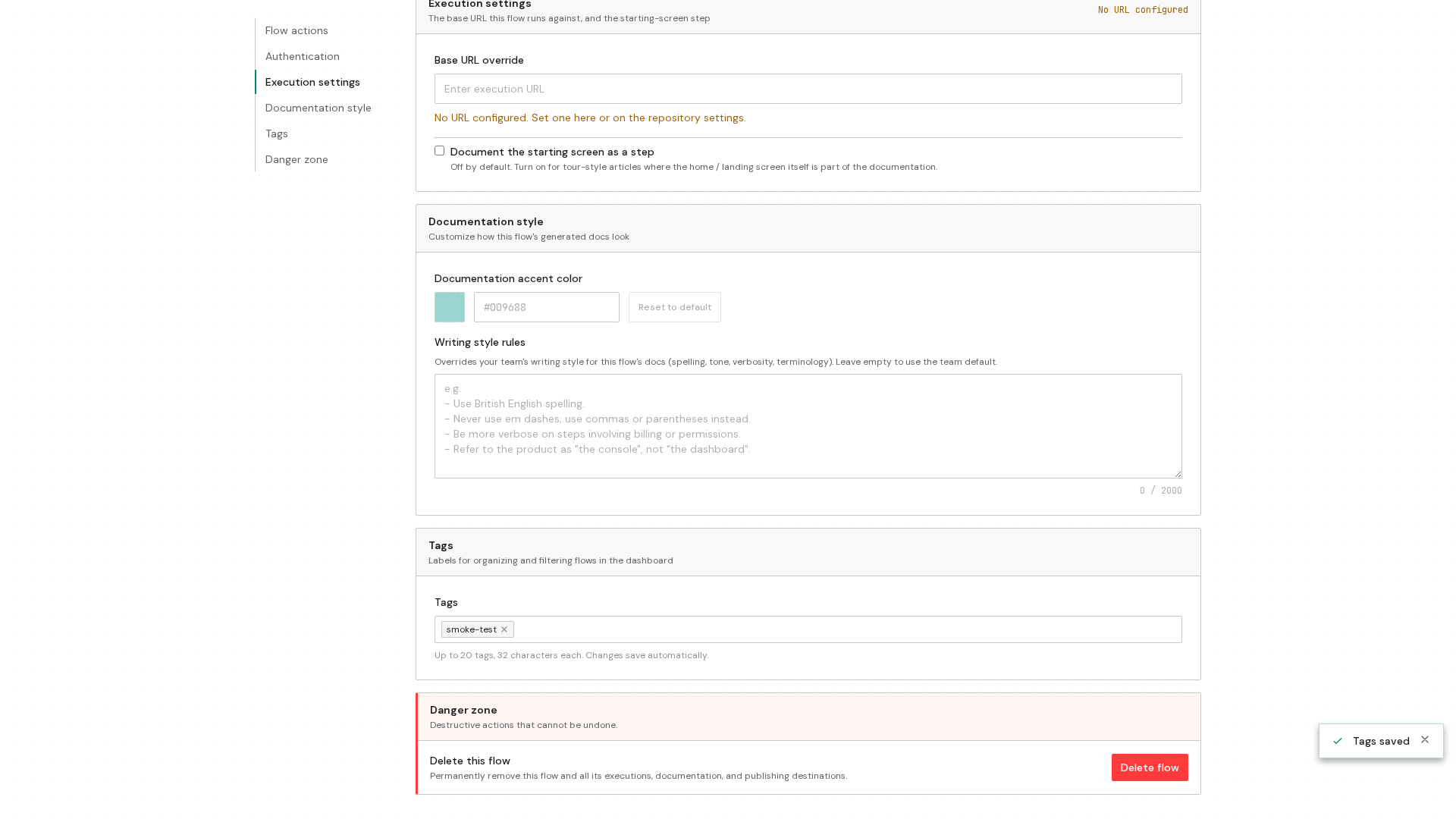
Tags live on a flow's Configuration tab, and they save the moment you add or remove one, so this is a quick edit rather than a form you submit. Once a flow carries a tag, you can filter your flow list by it from the dashboard.
Open the flow's Configuration tab
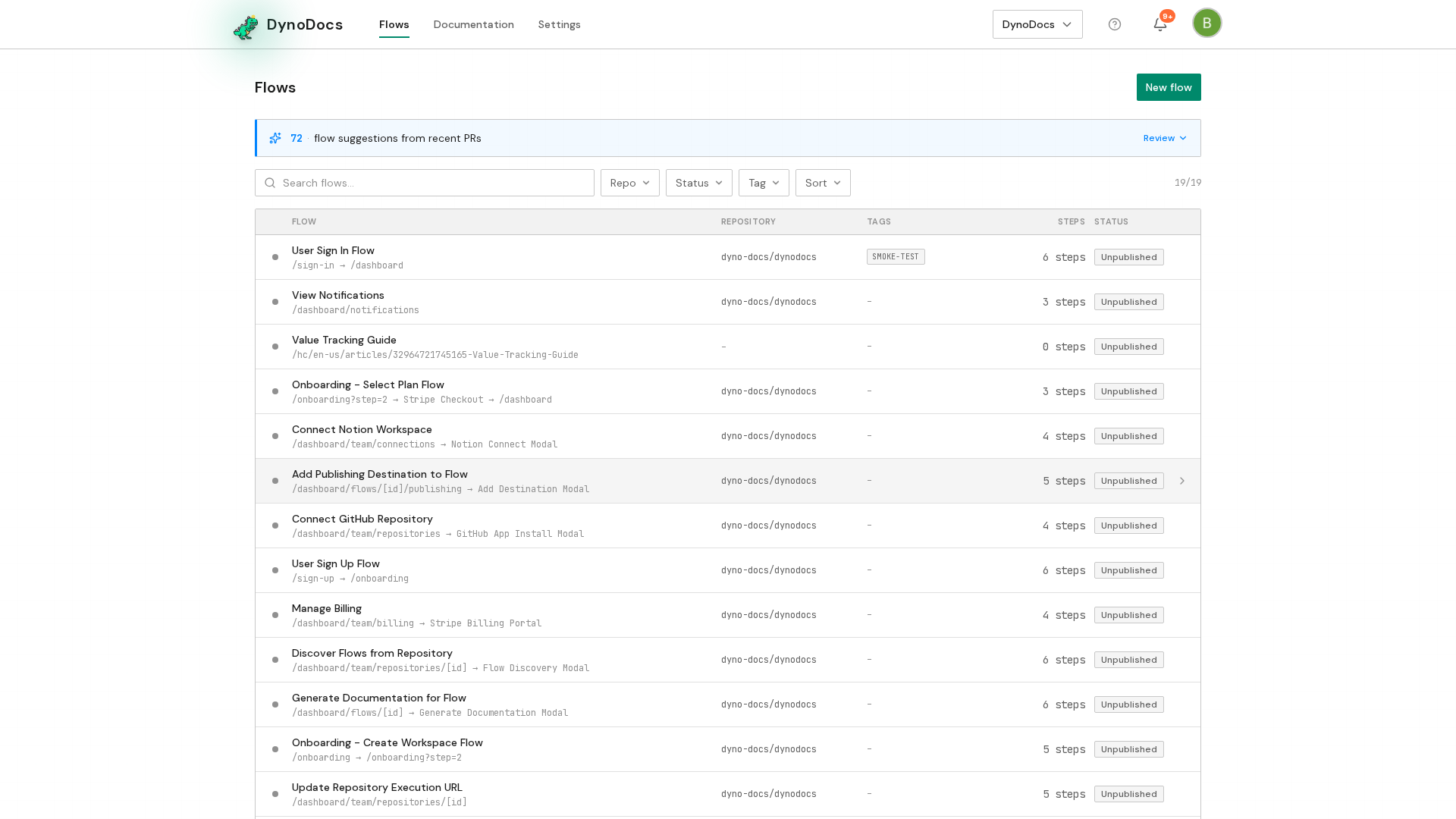
Your flows are listed on the dashboard. Click the flow you want to work on.
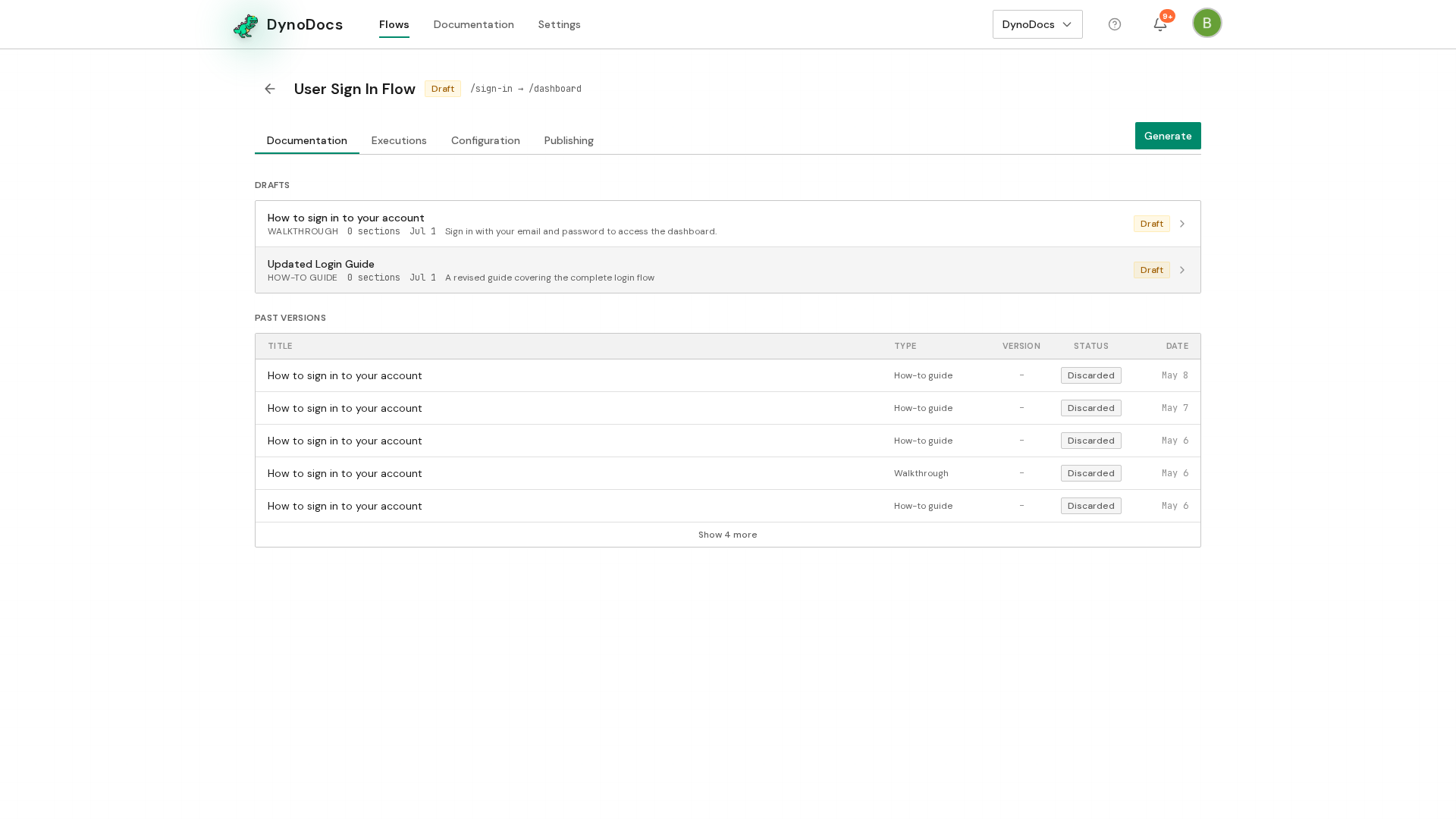
The flow opens on its guide, with Executions, Configuration and Publishing alongside it. Click Configuration.
Add a tag
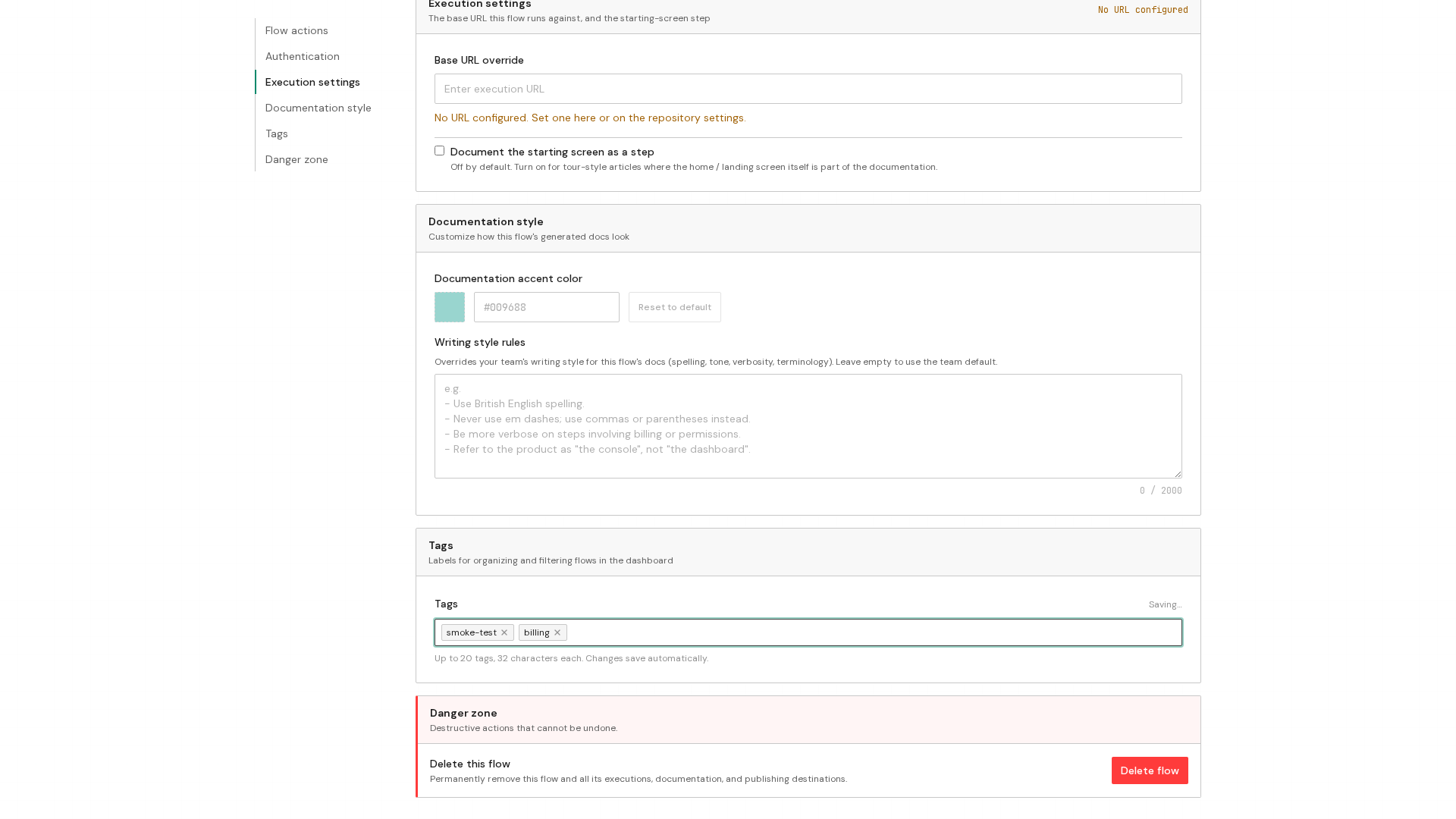
The Configuration page has a Tags section with an empty text box for adding a tag. Type a short label your team will recognize into that box and press Enter.
Remove a tag
The tag now appears in the Tags section. To take it off again, click the small x at the right edge of the tag.
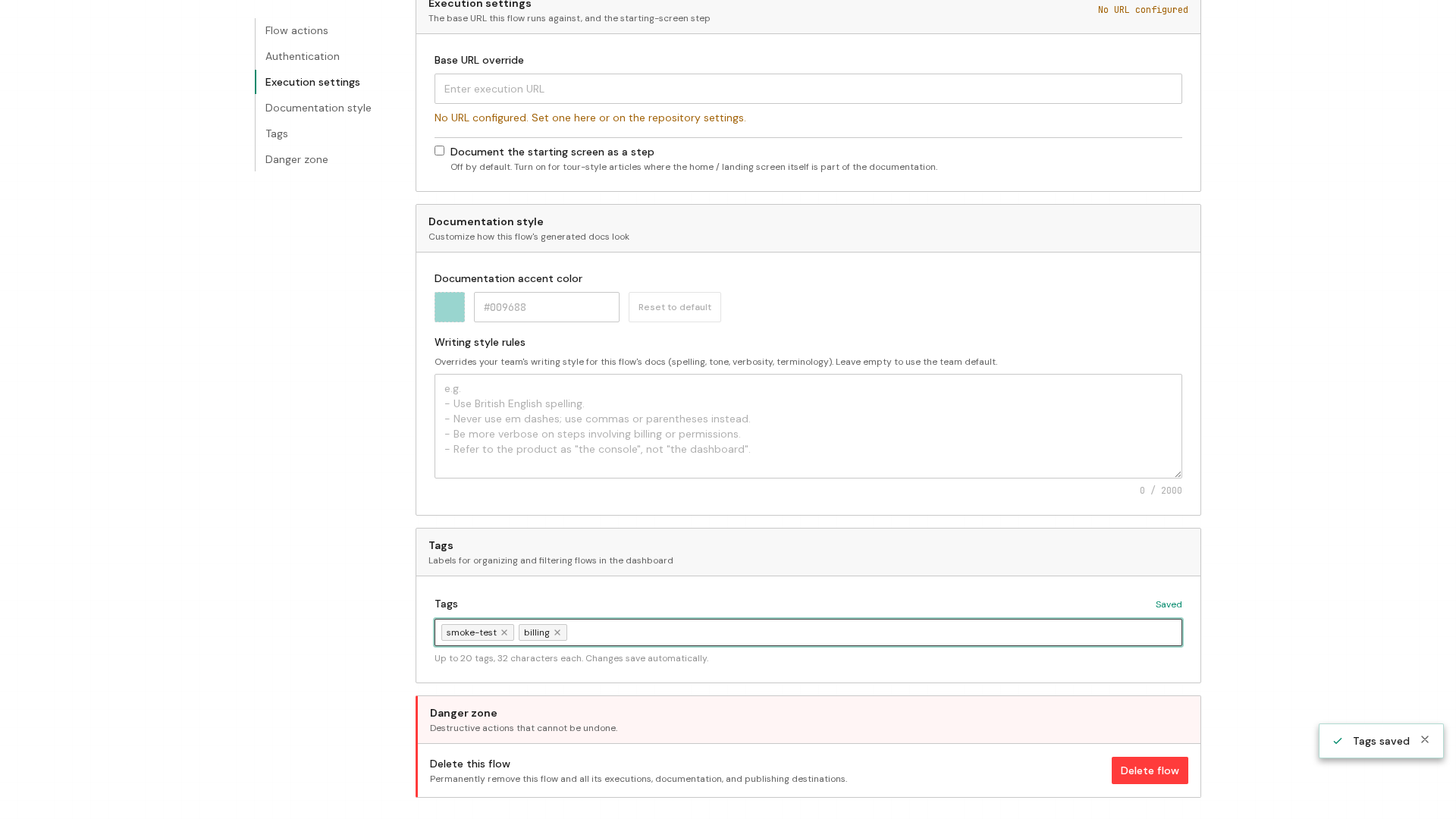
The tag is gone from the Tags section, and that change is saved right away too.
Prerequisites
- A flow already created in your DynoDocs dashboard