
When your organization stops publishing to a Notion workspace or a Zendesk help center, you can disconnect it from your connected services. Before you confirm, it is worth checking which flows publish there: the confirmation dialog warns that any flow publishing to this service loses that destination.
Open your connected services
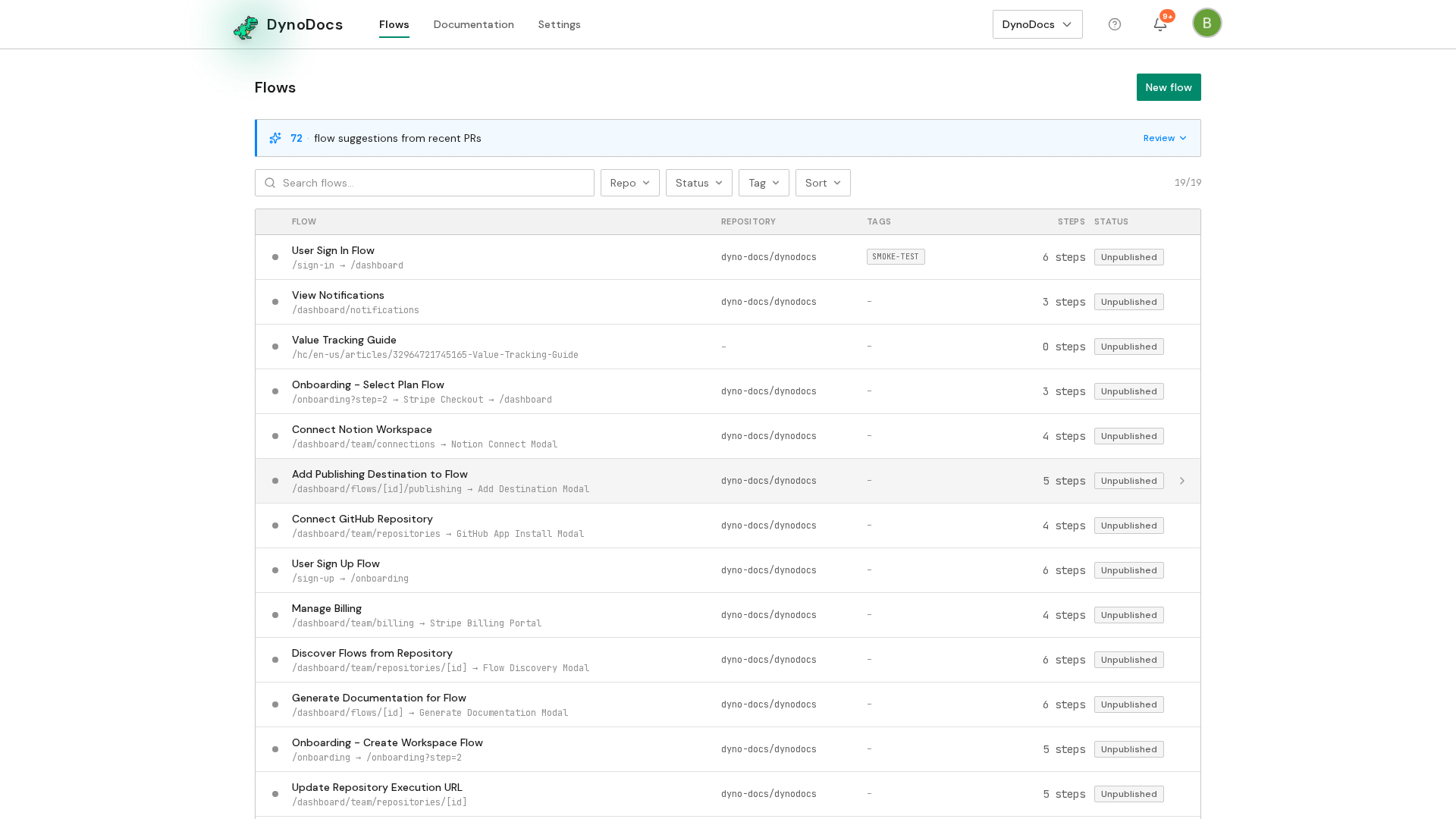
From your DynoDocs dashboard, click Settings in the top navigation.
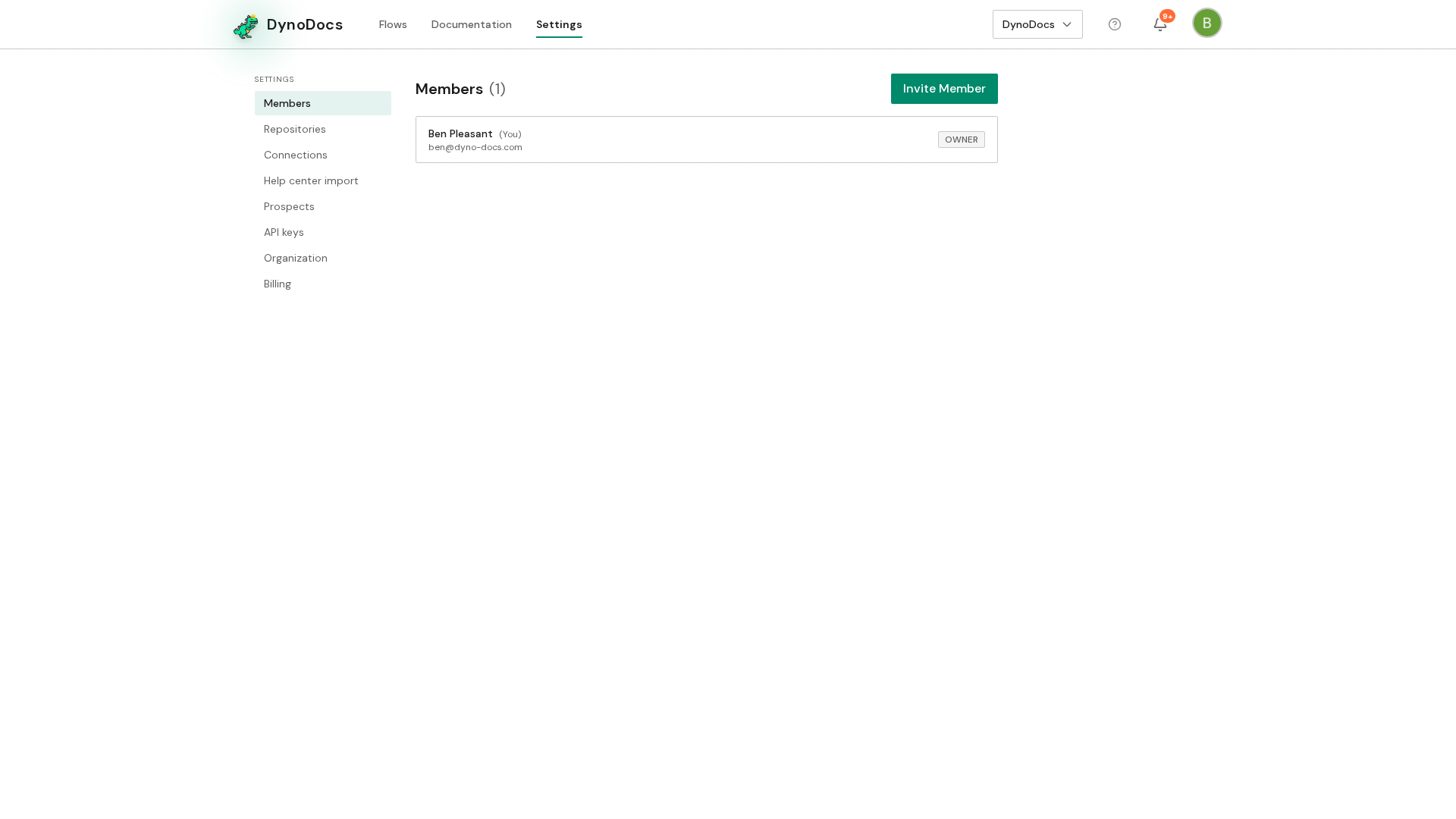
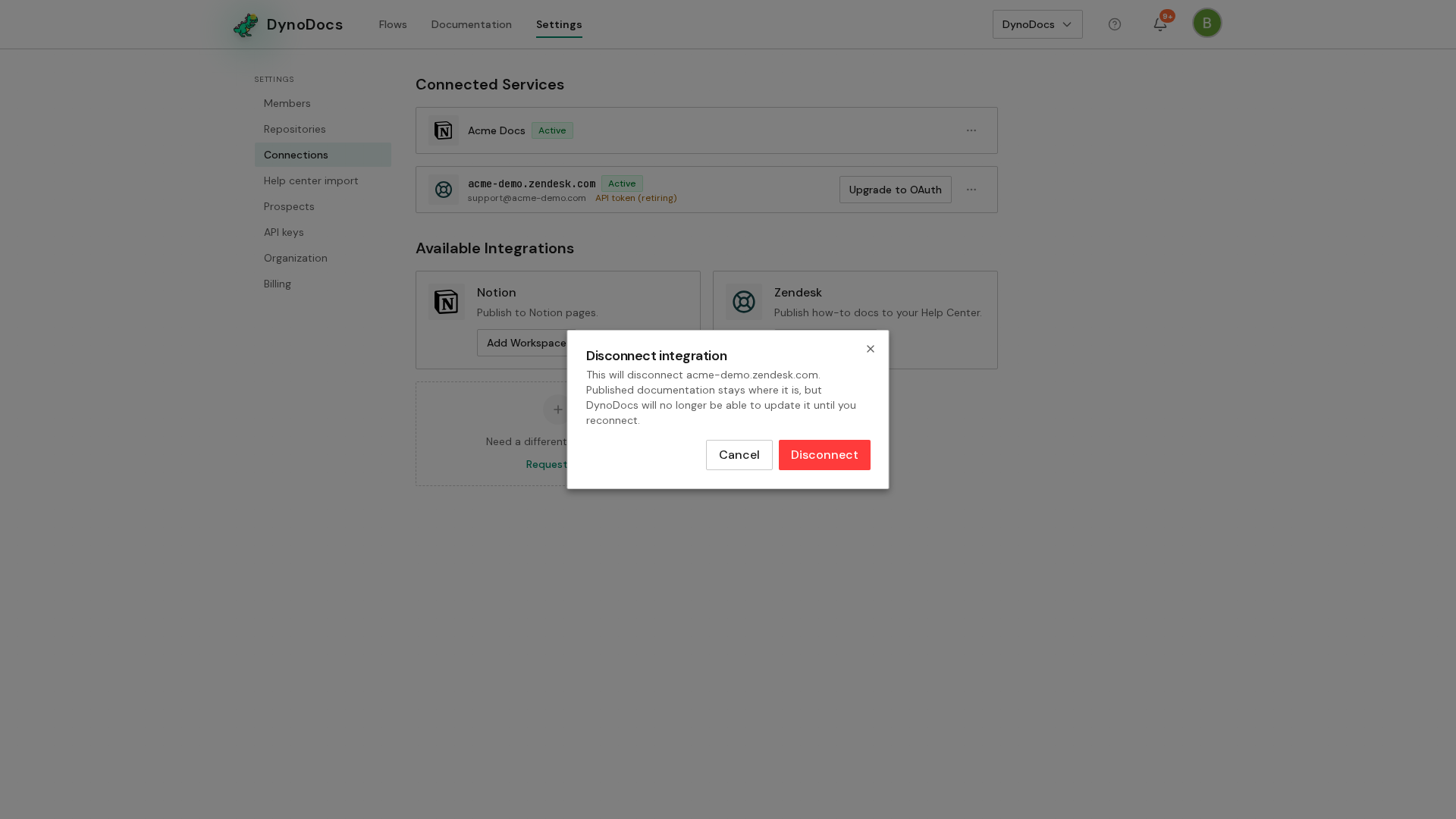
Settings opens on the Members page, with its sections listed down the left. Choose Connections.
Disconnect the service
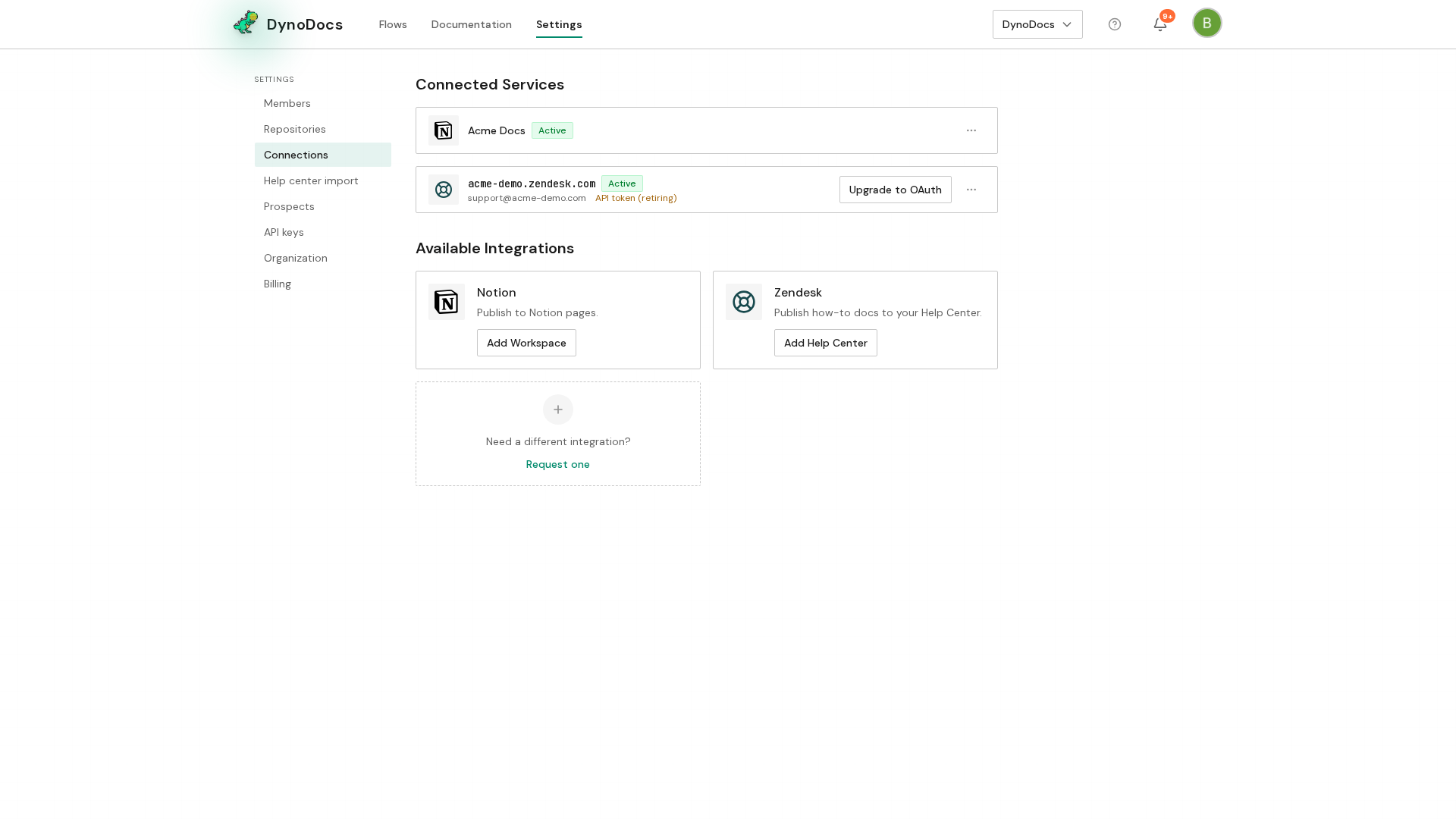
Under Connected Services, you'll see the Notion workspaces and Zendesk help centers your guides can publish to. Find the connection you want to remove and click the small actions button at the end of its row.
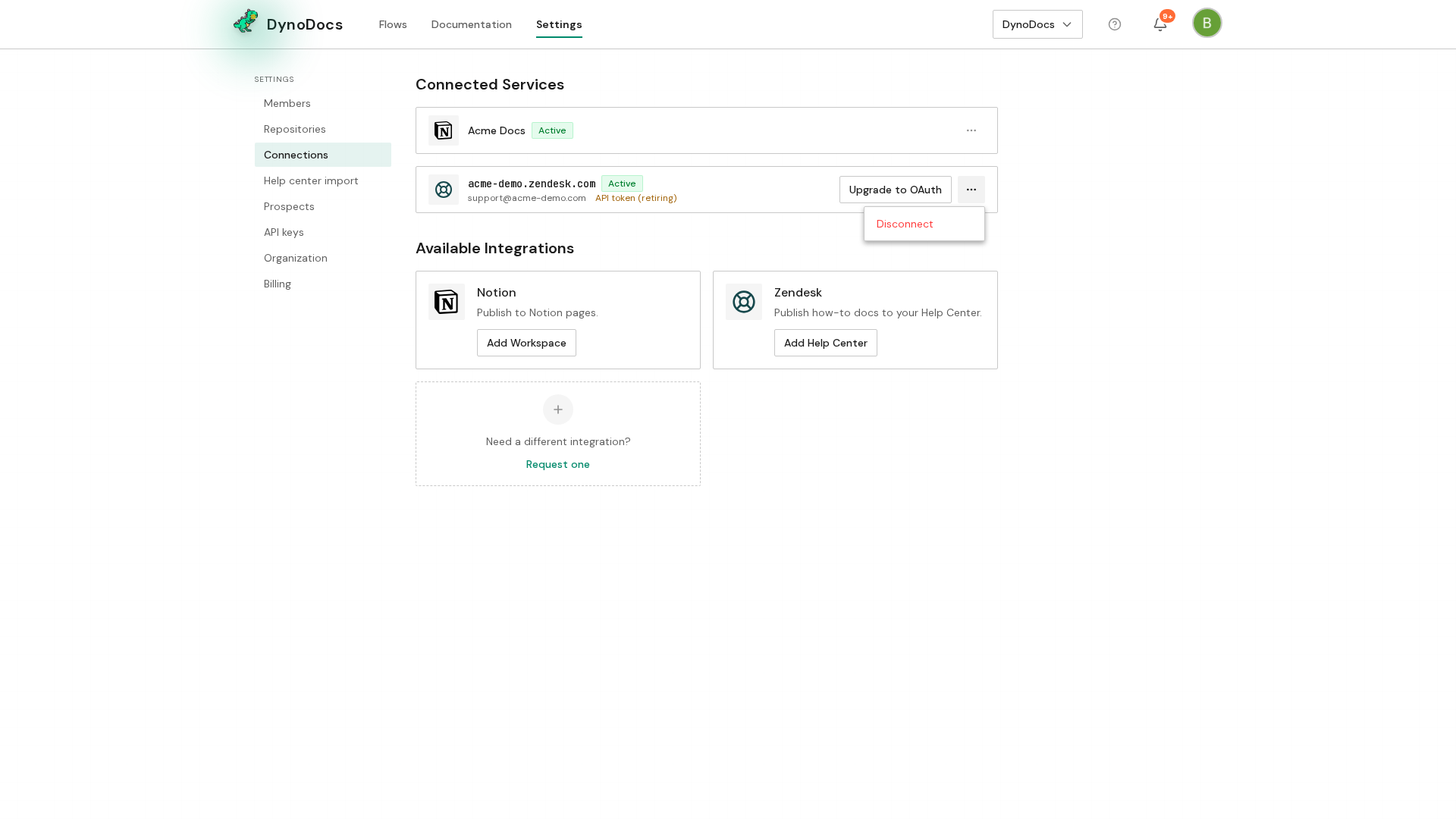
Choose Disconnect from the menu.
The Disconnect integration dialog explains what stops working. Click Disconnect to confirm, or Cancel to keep the connection.
Prerequisites
- Access to Settings in your DynoDocs organization
- At least one connected Notion workspace or Zendesk help center
Troubleshooting
- You are unsure whether a flow still publishes to the service: read the Disconnect integration dialog before confirming, since it names what stops working, and choose Cancel if you want to check first.