
When your product changes, you can regenerate a guide instead of rewriting it. DynoDocs runs the flow behind the guide again and produces a new draft for you to review.
From the dashboard, open Documentation in the top navigation.
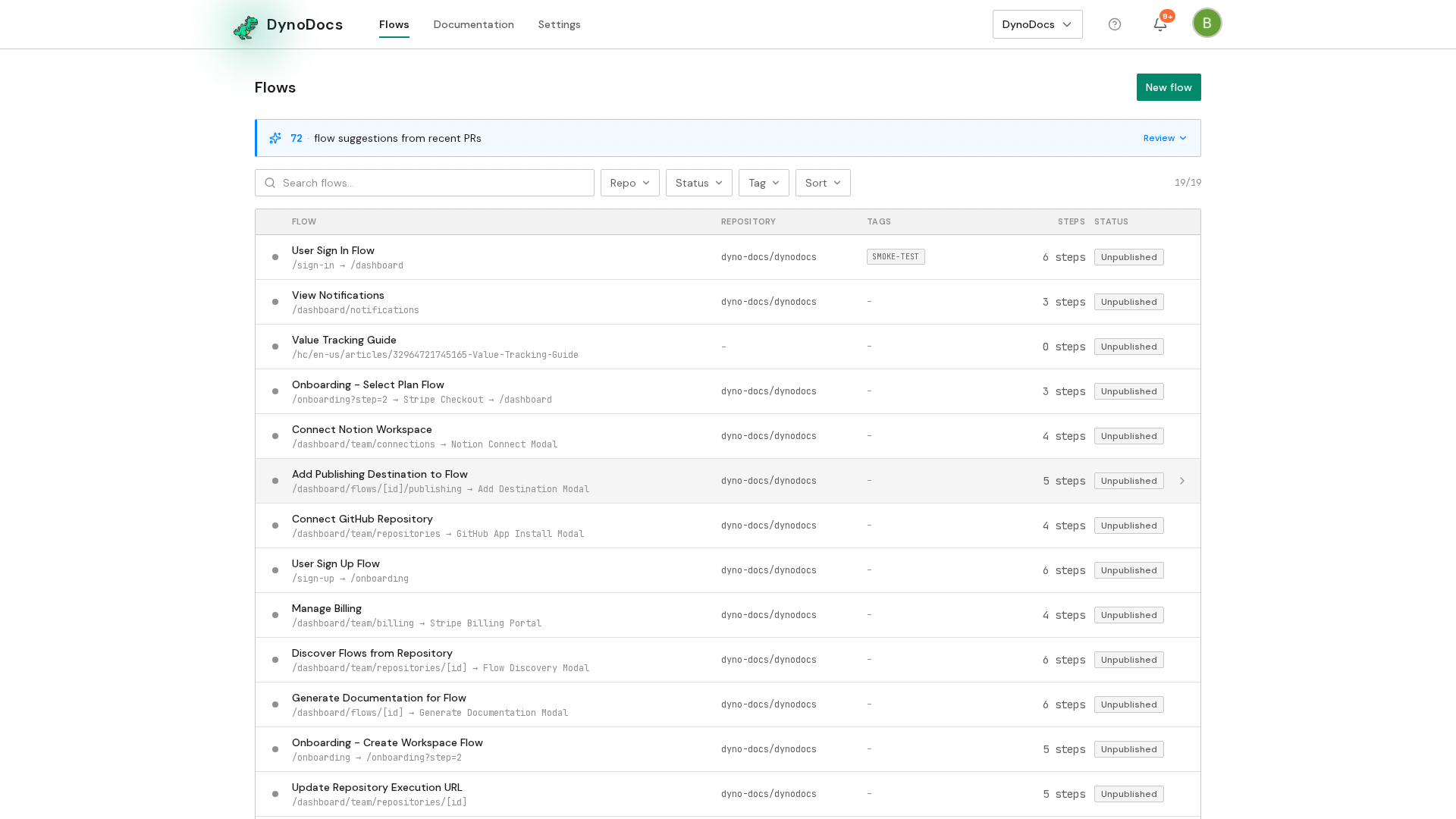
The Documentation page lists every guide in your workspace. Click the guide you want to regenerate.
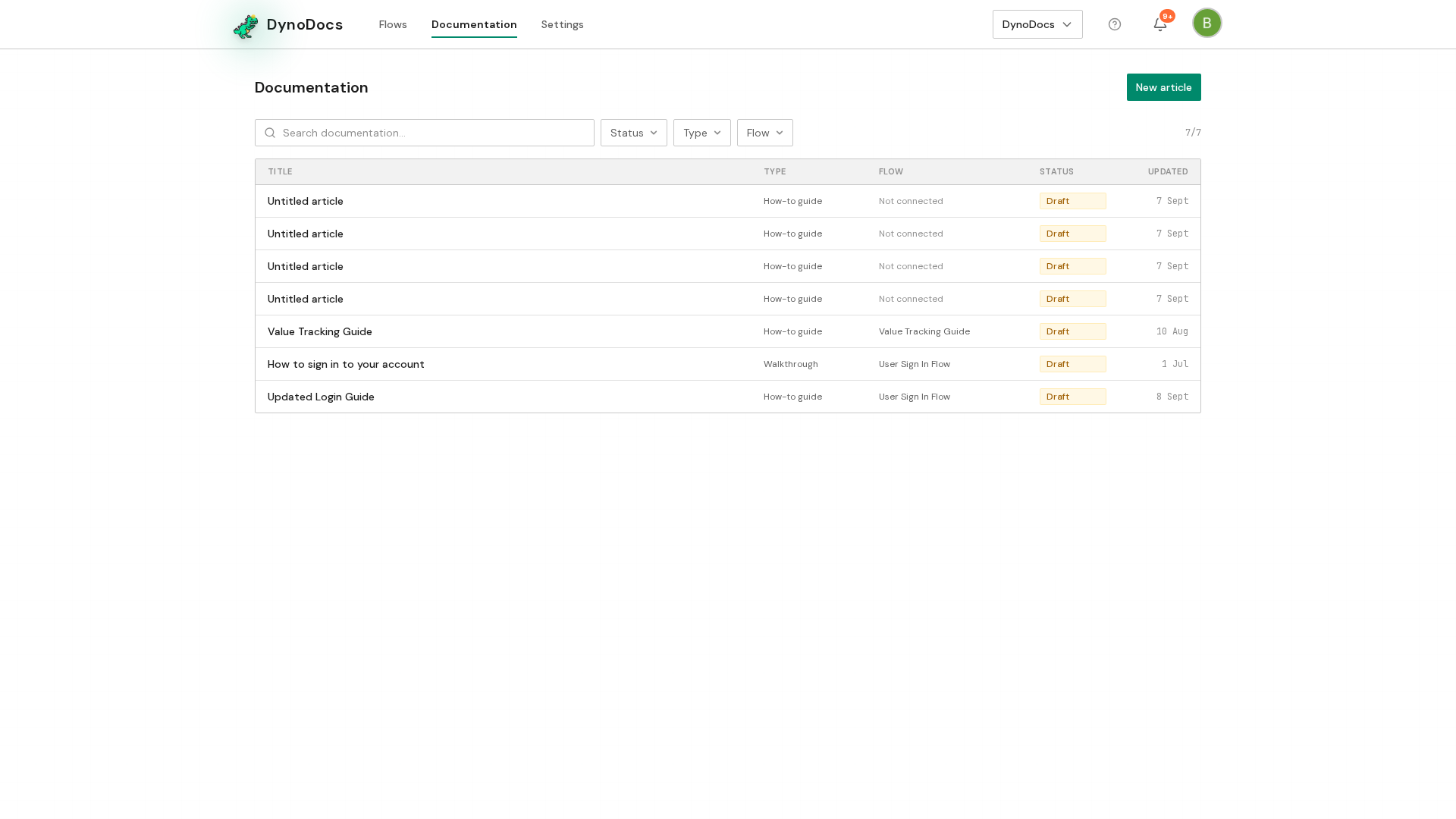
The guide opens in the editor. Click the document actions button at the top right of the guide.
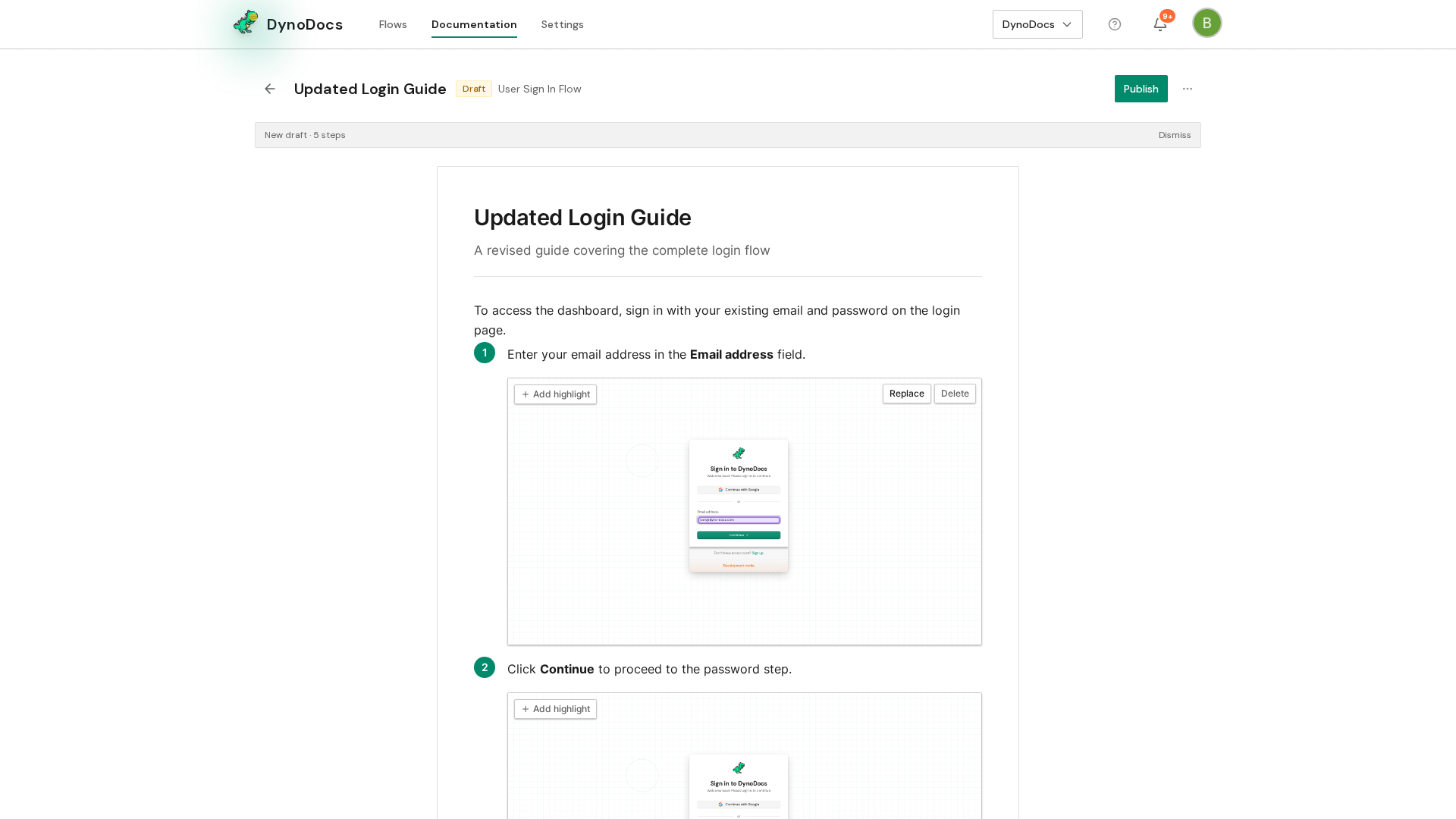
Choose Regenerate from the menu.
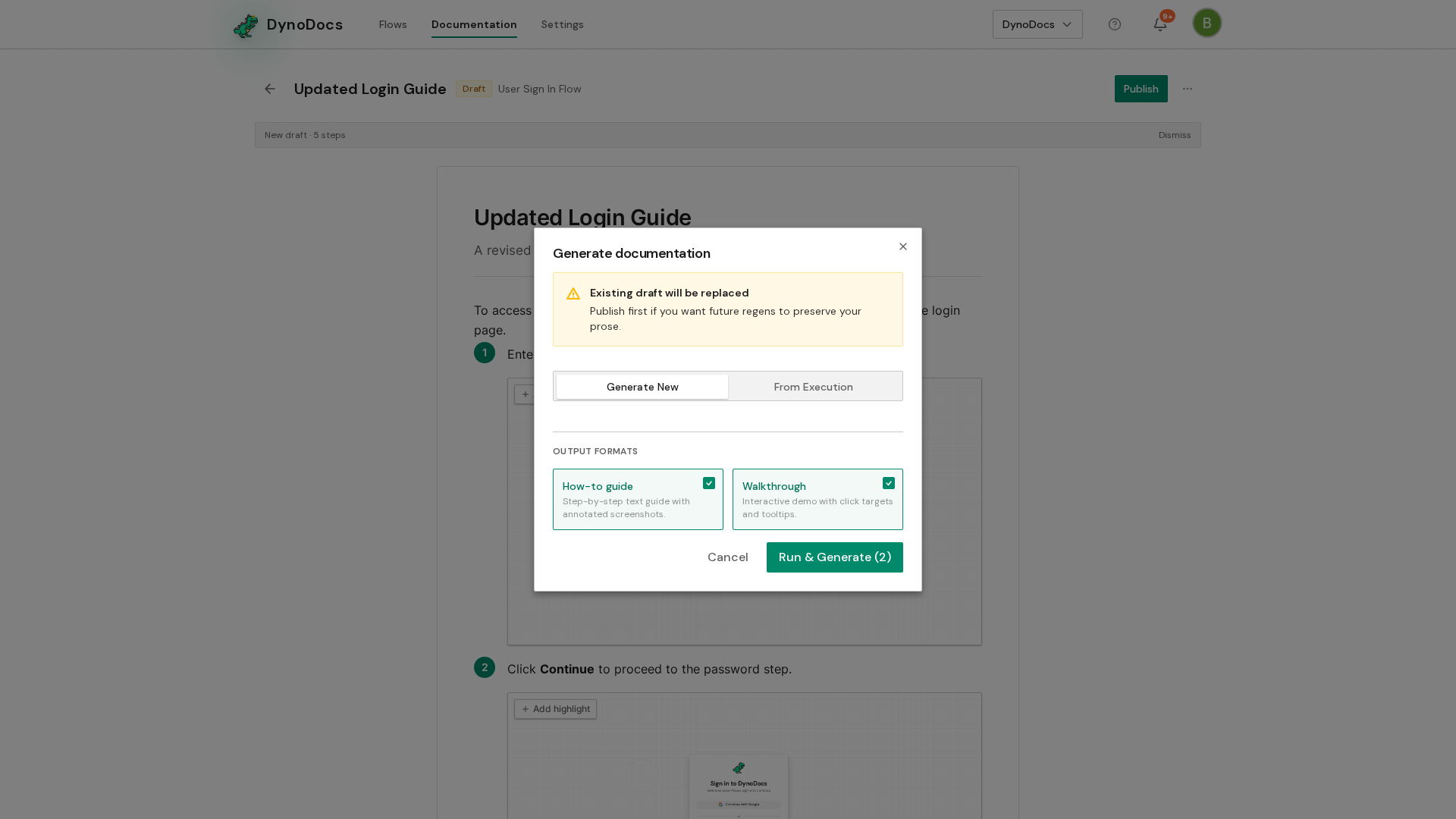
The Generate documentation dialog opens, where you can run the flow now or use a run that already happened. Click Run & Generate to start the run and generate the new draft.
Note
By default the new draft keeps the wording you have already approved and updates only the steps that changed. Tick Regenerate from scratch in the dialog if you want the guide rewritten entirely.
Prerequisites
- A guide that already exists in your workspace, with a flow behind it